
R.D. Navbharat Skill & Computer Training Centre

A unit of R.D. Navbharat Foundation, in Birsinghpur. Open since 11 October 2026.

Admissions open, 2026–27Taught in Hindi

कंप्यूटर से AI तक, सीखें काम के हुनर

Skills for work and business, taught in Hindi. AI is part of every course.

Career guidance, personality development and placement support come with every course.

A short film of the Training Centre. Women carry lamps to the entrance on opening day, and a ribbon is cut at the glass door. Then the front desk and the computer lab, with rows of workstations.

Opening day and the lab11 and 17 October 2026, Birsinghpur.

  • Practical

    Half of every class is hands-on, on a computer.

  • Taught in Hindi

    Simple Hindi, with the English words used at work.

  • Basic to Advanced

    Every course goes from the first step to advanced skills.

  • Certificate

    A Certificate of Completion from the Centre when you finish.

5 courses, from first steps to AI

Every full course has a Basic half, then an Advanced half, then your own final project.

Start here

Basic Computer

बेसिक कंप्यूटर

Typing, Office, internet and CPCT preparation.

Computer and office, typing, AI and exams.

Duration
1 month
Hours
40
Class
2 h a day
Good for you if

Anyone starting out with computers, and anyone who wants CPCT practice.

Before you start

Nothing. Start from zero.

Final project

Your AI work log: 10 real tasks, each checked and corrected.

What you will learn
  • Computer and internet basics
  • Word documents
  • PowerPoint presentations
  • Excel first steps
  • Email, online work and safety
  • Typing practice and CPCT preparation
  • AI basics: our five steps
  • An AI work log of 10 real tasks
  • Final test and a CPCT mock test

Advanced Excel and Reports

एडवांस एक्सेल और रिपोर्ट्स

Excel from basic to advanced, MIS and dashboards.

  1. Basic · first 6 weeksExcel from zero
  2. Advanced · last 6 weeksExcel at work level
Duration
3 months
Hours
120
Class
2 h a day
Good for you if

You want to work with Excel, data and reports in an office, shop or depot.

Before you start

Basic Computer, or the same skill.

Final project

A complete MIS for a depot or shop, built from messy data.

What you will learn
  • Enter, format and print data neatly
  • Formulas: SUM, IF, COUNTIF, SUMIF, text, dates
  • Sort, filter, tables and charts
  • Data validation and error checking
  • Daily and weekly reports in Excel
  • Lookups: XLOOKUP, VLOOKUP, INDEX-MATCH
  • Pivot tables and pivot charts
  • Power Query: clean and join messy files
  • MIS for a shop or depot: daily, weekly, monthly
  • Dashboards with slicers, intro to Power BI

Accounts and GST

अकाउंट्स और GST

Tally, GST and financial reports.

  1. Basic · first 6 weeksAccounts from zero
  2. Advanced · last 6 weeksGST and real accounts
Duration
3 months
Hours
120
Class
2 h a day
Good for you if

You want to keep accounts and GST bills for a shop or firm.

Before you start

Basic Computer, or the same skill.

Final project

A month-end close for a sample business, with reports ready for the CA.

What you will learn
  • Accounting basics: double entry, groups, ledgers
  • Company set-up in Tally
  • Sales, purchase, receipt, payment, journal, contra
  • Stock items and inventory
  • Day book, ledger and trial balance
  • GST set-up, tax invoices and GST reports
  • How monthly returns work: GSTR-1 and GSTR-3B
  • Bank matching: sales, purchases and bank
  • TDS and payroll basics
  • Profit and loss, balance sheet, month-end close

Digital Marketing and Online Selling

डिजिटल मार्केटिंग और ऑनलाइन सेलिंग

Design, social media, ads and selling online.

  1. Basic · first 6 weeksBe seen online
  2. Advanced · last 6 weeksGet customers and sell
Duration
3 months
Hours
120
Class
2 h a day
Good for you if

You want to promote and sell a business online, or run its pages.

Before you start

Basic Computer, or the same skill.

Final project

A small test campaign: plan it, run it, report the results.

What you will learn
  • Canva: posters, banners and logo basics
  • Google Business Profile for a local shop
  • Facebook and Instagram pages, content calendar
  • Short videos and reels
  • WhatsApp Business: catalogue, labels, broadcasts
  • Facebook, Instagram and Google ads
  • Reading ad results and improving them
  • SEO basics: be found on Google
  • Sell online: listings, photos, pricing, orders
  • Lead sheet and a small test campaign
New

Applied AI and Automation

एप्लाइड AI और ऑटोमेशन

AI tools, automation and building AI agents.

  1. Basic · first 10 weeksUse AI well
  2. Advanced · last 10 weeksBuild with AI
Duration
5 months
Hours
200
Class
2 h a day
Good for you if

Students, working people and business owners who want to build with AI.

Before you start

Basic Computer, or the same skill.

Final project

A working AI agent or automation for a real local business, shown live.

What you will learn
  • How AI works, and what it cannot do
  • Writing instructions (prompts) that work
  • AI for documents, sheets, research, images
  • AI for images, voice and short videos
  • Checking AI: wrong facts, numbers, privacy
  • Your own prompt library for work
  • Automations: forms, sheets, email, WhatsApp
  • Build AI agents that read, decide and act
  • A chatbot that answers from your documents
  • Voice and WhatsApp assistants for a business
  • Approval steps, testing and safety
  • A simple website or small tool, built with AI

The best path if you are starting from zero

Basic Computer first, then one course. 4–6 months, 160–240 hours. You do not need to know computers before you start.

Don't just use AI. Build with it.

Most courses teach you to use a tool. This one teaches you to build with AI: assistants, automations and AI agents for real business work.

More than a course

Three things are included with every course.

Career guidance

One-to-one help to choose the right course, and to plan your next step after it.

  • A one-to-one talk before you join: your studies, your interests, and what you want next.
  • A simple skill check, so you start at the right level.
  • Which course fits a job, more study, or your own business.
  • Near the end of the course, a plan for your next step.

Personality development

Spoken English, confidence, communication and good work habits.

  • Spoken English for work: introduce yourself, talk to customers, speak on the phone.
  • Confidence: speak in front of the class and explain your own work.
  • Communication: clear messages, emails and simple letters.
  • Good work habits: be on time, finish the job, check it before you hand it in.

Placement support

Resume writing, interview practice, and help applying for jobs.

  • Resume writing: one clear page with your course, your skills and your final project.
  • Interview practice: common questions, how to answer them, and practice rounds.
  • Help applying for jobs: finding openings, filling in forms, getting your papers ready.
  • Your final project shows an employer real work, not only a certificate.

Placement support is help to prepare for and apply for jobs. It is not a promise of a job. We never take money for a job.

Half of every class is practice

Classes are in simple Hindi, with the English words used at work.

Lessons use local examples: a shop, a depot, a school, a small business.

Every course teaches AI carefully, and how to check its work.

One class: 2 hours a day

  1. 15 minExplain, in Hindi
  2. 15 minShow on screen
  3. 60 minStudents practise
  4. 15 minQuick test
  5. 15 minRecap and homework

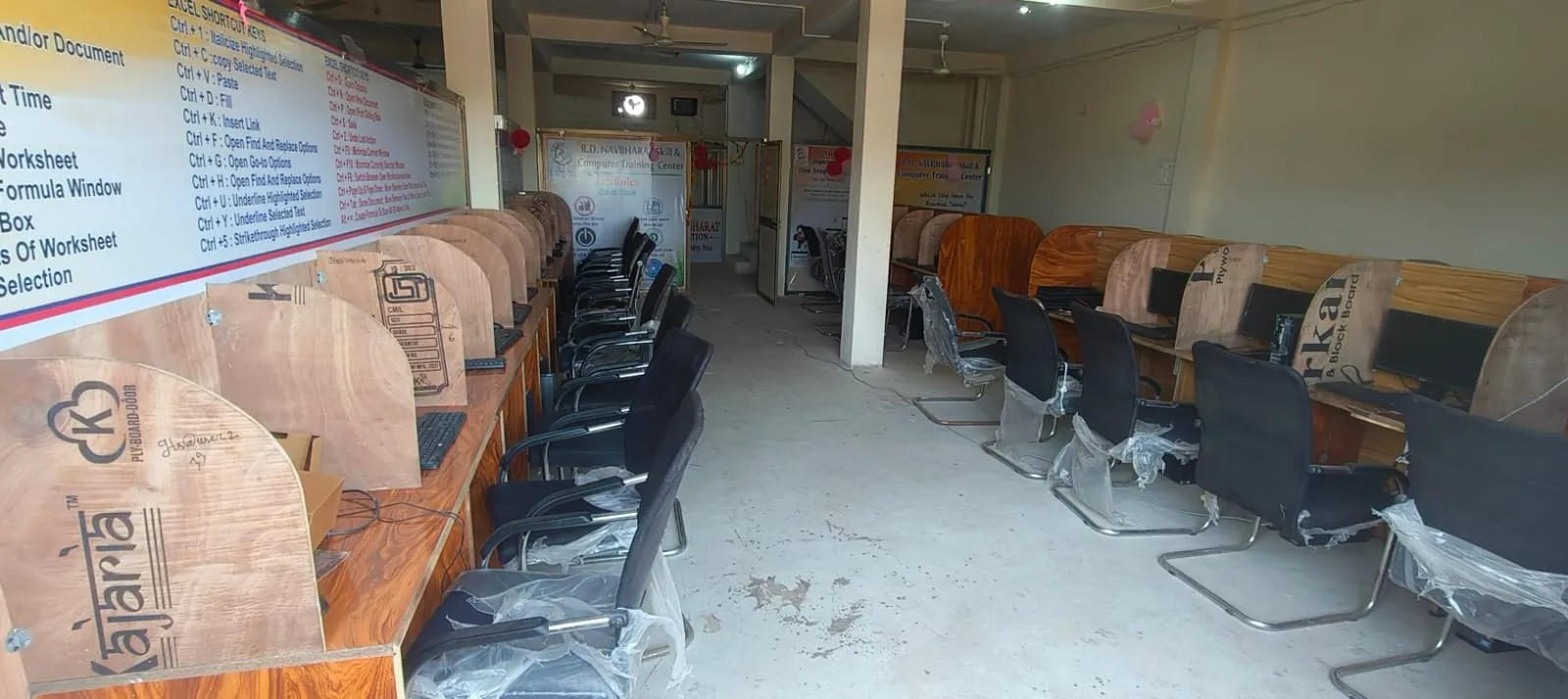
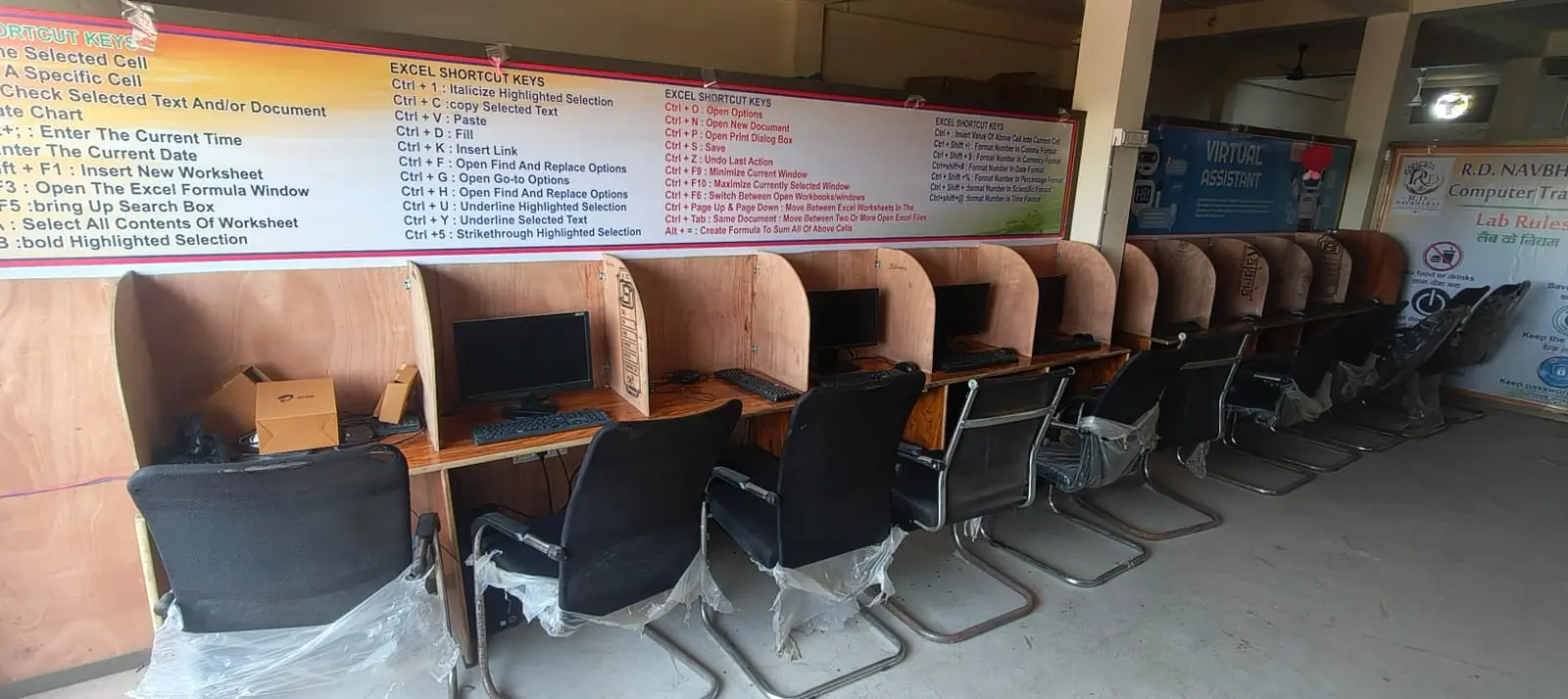
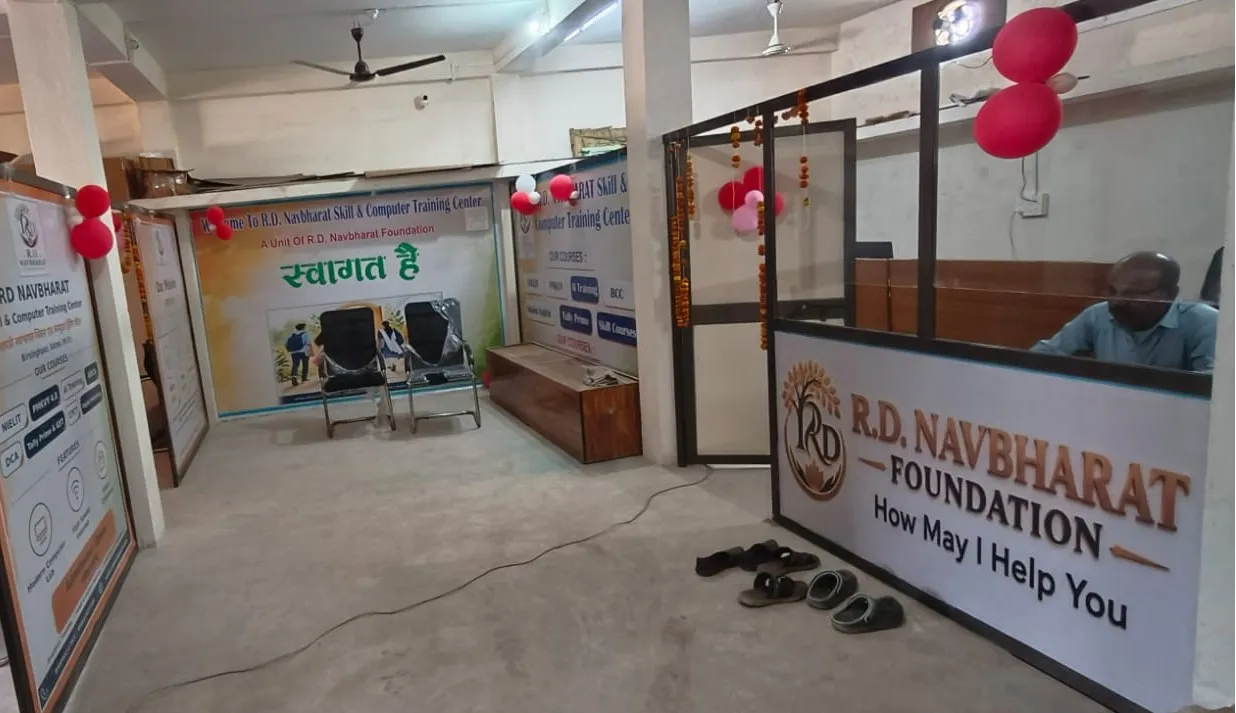
Inside the Centre

The computer lab and the front desk, a week after opening.

Want to know more?

For fees, batch timings and admission, come to the Centre and talk to us. Or send a WhatsApp message to 91319 89310.

Address

Bus Stand, Semariya Roadnear Satna Tiraha, BirsinghpurMadhya Pradesh 485226
  • The Certificate of Completion is from this Centre. It is not a university degree or a government qualification.
  • Course details and batch dates may change. Please confirm at the Centre.
  • TallyPrime is a trademark of Tally Solutions Pvt. Ltd. We are not affiliated with it.